
The short answer
A Microsoft Entra emergency access account is a highly privileged cloud account reserved for situations where the usual administrators can no longer sign in. A reliable setup relies on at least two independent accounts, phishing-resistant authentication, strictly controlled conditional access exclusions, alerts on every use and a documented test at least every 90 days.
- Two cloud-only accounts reduce the risk of a single point of failure.
- A FIDO2 key or certificate-based authentication avoids dependence on the same mechanism as ordinary accounts.
- Every sign-in must trigger an alert and lead to a justification.
- A quarterly test checks access, the alert, the procedure and the ability to act.
What is an Entra emergency access account?
It is an exceptional administration account designed to remain usable when normal access paths fail.
The emergency account, sometimes called “break glass”, is neither a daily support account nor a shortcut around controls. It is used solely to regain control of the tenant when an identity outage, misconfigured policy, loss of MFA methods or governance error blocks all usual administrators. Its privilege is high because it must be able to correct the incident; use must therefore be rare, visible and immediately reviewed.
Microsoft recommends two or more cloud-only accounts based on the domain .onmicrosoft.com, without depending on on-premises federation. The Microsoft documentation, updated on 5 June 2026, also states that these accounts must be reserved for emergencies, monitored and regularly validated. Redundancy is essential: one lost key, disabled account or configuration error must not eliminate the last recovery path.
For a Belgian organisation, this goes beyond technology. You must decide who may authorise activation, where authentication methods are kept, how a multi-site team accesses them if a building is unavailable and what evidence is retained. The protection of identities with Microsoft Entra must include this continuity from the design stage rather than adding it after a lockout.
In which scenarios must this account work?
A sound model starts from concrete failure scenarios and genuinely independent dependencies.
First scenario: federation or the local directory stops responding. An account synchronised from Active Directory may then be unusable just when the cloud configuration needs changing. A cloud-only account reduces this dependency. Second scenario: the usual MFA method becomes unavailable, for example due to a mobile outage, a third-party service or lost smartphones. The emergency mechanism must not share the same failure mode.
Third scenario: a conditional access policy accidentally blocks all administrators. A rule requiring a compliant device, a named location or a poorly deployed authentication strength can create a collective lockout. Fourth scenario: all privileged role holders must activate PIM, but no active approver remains available. Fifth scenario: a cyber incident requires revoking sessions or correcting a configuration while normal accounts are suspected of compromise.
Turn each scenario into an acceptance test: from which workstation, with which key and through which internet connection will you sign in to perform which minimum action? Avoid vague scenarios such as “a Microsoft outage”. The aim is to identify shared dependencies: the same phone, digital vault, identity provider, network, person or building. An emergency architecture is resilient only if it survives at least one plausible failure of each element.
How do you design a reliable emergency architecture?
Create two separate cloud-only accounts, separate their authentication methods and document a minimal usage path.
Assign each account a non-personal, non-obvious identity, retain its object ID in the security register and place it in a dedicated group for controlled exclusions. Microsoft requires the Global Administrator role to be permanently active for these accounts, unlike ordinary human accounts that benefit from PIM and least privilege. This exception must remain limited to these emergency identities.
Use a phishing-resistant method. Microsoft recommends FIDO2 passkeys and accepts certificate-based authentication where a sufficiently independent PKI exists. A hardware key is not magic: each copy must be registered, labelled, sealed, stored and tested. Provide a primary method and a spare without tying the account to an employee’s private phone. Also check that there is no expiry or automatic cleanup for inactivity.
Reserve a secure administration workstation or equivalent environment. The browser, extensions, signed-in accounts and network must be controlled. The workstation must not become a shared everyday computer. Define the minimum permitted action: restore a policy, activate a named administrator, revoke a compromise or restore an approval chain. Afterwards, the user leaves the emergency account and continues under a traceable named identity.
Normal account, PIM or emergency account: what is the difference?
These three mechanisms complement one another: the human account handles daily work, PIM limits privilege duration and the emergency account addresses global lockout.
Confusing these roles leads to two opposite extremes. If the team uses the emergency account to save time, it loses individual attribution, normalises permanent privilege and hides governance problems. If it instead requires the same dependencies as a normal account, the setup may be blocked with the rest of the tenant. The table distinguishes each option’s use, control and limitation.
The Microsoft Entra RBAC best practices, updated on 1 June 2026, recommend least privilege, PIM for just-in-time access and two cloud-only emergency accounts permanently assigned the Global Administrator role. The distinction matters: permanent privilege is a continuity exception, not a model to replicate for all administrators.
| Criterion | Normal administrator account | Access through PIM | Emergency account |
|---|---|---|---|
| Usage | Daily administration | Planned temporary elevation | Global lockout or real emergency |
| Identity | Personal and attributable | Personal and attributable | Non-personal, safeguarded by the process |
| Privilege | Appropriate minimum role | Role activated for a limited duration | Permanently active Global Administrator |
| Dependencies | Normal MFA and policies | PIM, approval and MFA | Independent path, governed exclusions |
| Benefit | Clear traceability | Reduces permanent privilege | Recovery when other paths fail |
| Limitation | Can be blocked or compromised | May depend on an approver | Highly privileged, reserved for exceptions |
| Best choice according to need | Routine tasks | Sensitive but planned administration | Regain control of the tenant |
How do you handle conditional access exclusions?
Exclude emergency accounts from policies that could block sign-in, then compensate for this exception with strong authentication, full monitoring and testing.
An exclusion is not a general free pass. It prevents a compliant-device, location, unavailable-method or external-service requirement from blocking emergency access. Use a dedicated group and explicitly control membership. Report-only policies do not need this exclusion because they do not prevent sign-in. Document every policy excluding the group and the reason for that decision.
Account authentication must remain phishing-resistant even without depending on a blocking policy. The Microsoft Entra authentication strengths explain how to distinguish combinations of methods. In the emergency setup, protection mainly comes from controlled possession of the key or certificate, the secure workstation, the immediate alert and the two-person procedure.
Before any major conditional access change, use report-only mode, assessment tools and a gradual rollout. Specifically check emergency accounts before moving the policy into production. After every change, make a controlled sign-in with at least one account and confirm the other retains an independent path. An exclusion that has not been retested is an assumption, not a guarantee.
Where should keys, secrets and instructions be stored?
Separate authentication methods, instructions and storage locations so one person or failure does not control everything.
FIDO2 keys and any recovery codes must be kept in safe, separate physical locations accessible to authorised people. Microsoft mentions secure, fire-resistant safes in separate locations. For a multi-site organisation, this may mean a primary method at headquarters and a second at another controlled site. The inventory must record serial number, associated account, seal, location, custodians and verification date without exposing secrets in an ordinary ticket.
The procedure must remain available when Microsoft 365, the VPN or headquarters network stops working. A sealed paper copy or repository outside the main dependency can complement the governed version. Include the sign-in URL, authorised workstation, method, contacts, authorisation process, permitted actions and return-to-normal plan. Do not include a plaintext password in the same envelope as every other element if separate custody is possible.
How do you monitor every use?
Every attempted emergency-account sign-in, successful or not, must become a visible event that is handled.
Send Entra sign-in logs to the selected monitoring tool, then create a rule targeting the emergency accounts’ object IDs. The official Microsoft procedure provides an example with Azure Monitor, a query on SigninLogs, a threshold above zero and an action group. Microsoft Sentinel or another SIEM can apply the same logic. Also monitor changes to roles, authentication methods, exclusion group and account status.
The alert must reach several people through a channel that does not depend solely on the tenant concerned. It contains at least the time, account, result, IP address, known context and test or incident number. Do not include unnecessary sensitive information in an SMS. The on-call person immediately checks whether the use matches a planned exercise, declared emergency or unauthorised behaviour.
On deployment of MFA suited to privileged accounts must include monitoring of registered methods and their lifecycle. GVISION can help align authentication, logs, conditional access and operational procedure without presenting mere possession of a key as a sufficient guarantee.
How do you run a quarterly test without creating risk?
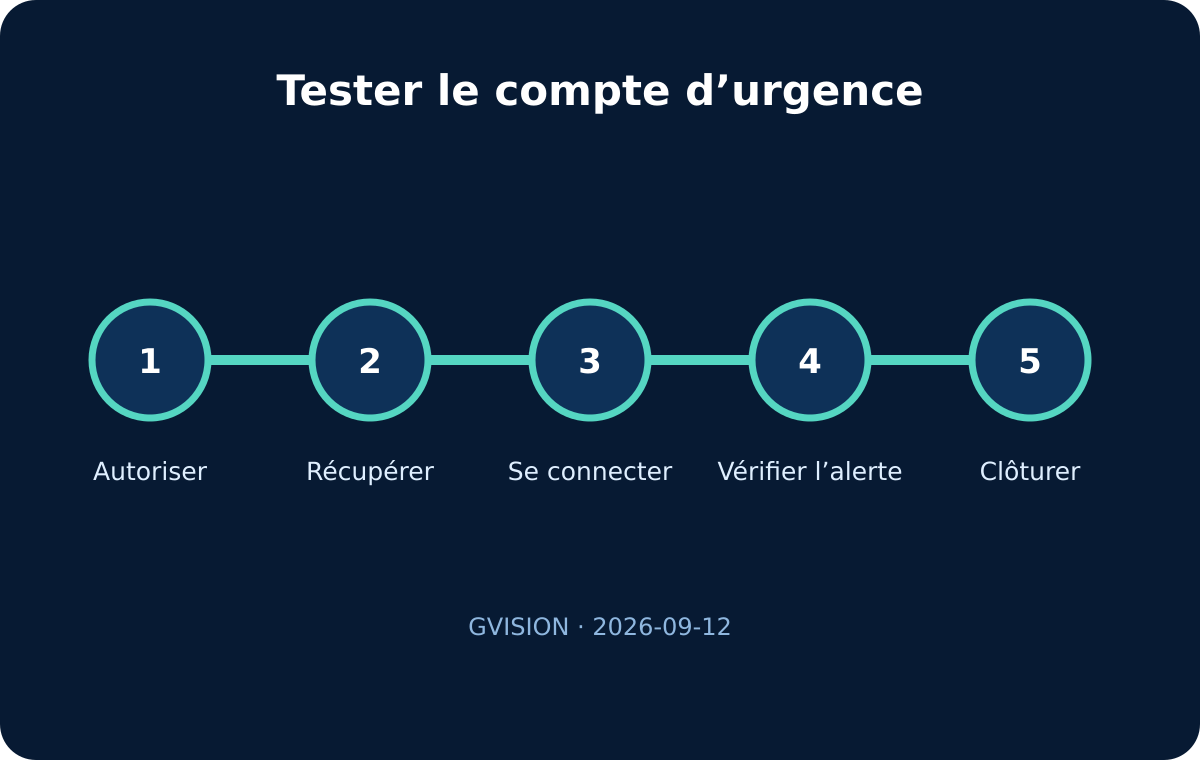
Test the full chain in a prepared window: authorisation, access, alert, benign action, closure and review.
Announce the exercise to the monitoring team without revealing every detail in advance. Check the seal and inventory, retrieve equipment with two people, and use the secure workstation and a planned network. Sign in, confirm receipt of the alert and perform a predefined non-destructive administrative action, such as viewing a setting or confirming access to the role page without changing an assignment.
Check each account separately. Success with the first proves nothing about the second. Also test an alternative network path where the plan provides for it. Record timings for obtaining authorisation, accessing equipment, signing in, receiving the alert and closing. These measurements improve the process; they do not create a universal SLA. Document every gap, such as a flat battery, unrecognised key, outdated workstation or obsolete contact.
Microsoft requires validation at least every 90 days and after key changes, particularly IT team changes or subscription changes. At the end, sign out, reseal equipment, preserve logs and have the report approved. If the test reveals a serious defect, open a corrective action with an owner and deadline, then run a targeted retest after correction.

What evidence should a Belgian organisation retain?
Retain proportionate evidence showing that the setup exists, remains controlled and has been tested, without turning this article into certification.
The useful register includes the creation decision, process owners, accounts and object IDs, roles, authentication methods, custody locations, justified exclusions, alert rule and exercise results. Add authorisation changes, real incidents and post-mortem actions. Restrict access: security documentation distributed too widely can facilitate abuse.
For organisations subject to NIS2, sector requirements, GDPR or ISO 27001, this file can support continuity, privileged-access control and traceability. It does not by itself prove compliance or replace an overall assessment or penetration test. The aim is a verifiable decision and execution chain: who authorised, who used it, why, which actions were taken and how the situation was normalised.
Adapt governance to the organisation’s size and actual operations. A school, nonprofit or practice with a small team needs a short procedure and clearly mandated external deputies. A multi-site group or healthcare facility must include on-call cover, local roles, out-of-hours availability and critical dependencies. The principle remains the same: urgency never removes responsibility.
Which mistakes make the setup dangerous or unusable?
The most common failures stem from a shared dependency, everyday use or an account that has never been tested.
Avoid a single account, a synchronised identity, a method tied to someone’s smartphone, a key stored near the workstation or a procedure available only in SharePoint. Every unnecessary use increases exposure and blurs the setup’s purpose.
Do not create a conditional access exclusion without an inventory and monitoring, and never change both recovery paths simultaneously. A test does not stop at sign-in: the alert, benign action, sign-out, resealing and report together prove real capability.
Frequently asked questions
How many emergency accounts are needed?
Microsoft recommends at least two accounts to prevent a failure, lost key or configuration error from removing the only recovery path.
Should these accounts be excluded from all conditional access policies?
They must be excluded from policies capable of blocking or restricting sign-in. Report-only policies do not block. Each exclusion must be documented and compensated by phishing-resistant authentication, strict custody and alerts.
Can you use a very long password without MFA?
Microsoft’s current recommendation favours a passwordless method meeting MFA requirements, particularly a FIDO2 passkey, or certificate-based authentication if a suitable PKI exists.
Should the account use PIM?
For the emergency account, Microsoft recommends an active, permanent Global Administrator assignment. PIM remains the right approach for ordinary human administrators, but activation dependent on approvers can fail during a lockout.
How often should you test?
At least every 90 days and after significant changes to the team, subscriptions, authentication methods or conditional access policies.
Who may activate the setup?
Explicitly authorised people, with deputies and ideally a two-person rule. The process must work out of hours and not depend on a single manager or technician.
Does an emergency account constitute proof of compliance?
No. It is a continuity and privileged-access control. Its documentation can contribute to compliance work, but constitutes neither certification nor a technical audit nor sufficient evidence on its own.
Conclusion
A useful emergency access account is both powerful and difficult to use out of context. Its value comes from independent dependencies, custody, visibility and repeated testing. Two untested accounts remain a promise; two exercised, monitored and documented accounts become a genuine continuity control.
GVISION can help you scope your emergency access setup, check its dependencies and organise an exercise without disrupting the tenant. The work remains focused on the configuration and evidence your organisation needs, without equating the exercise with certification.
Official sources
Published on . Updated on .
Let’s talk about your project
Want to apply this advice in your organisation? Let's review your needs and next steps together.
Talk to GVISION