A reliable connection in every space
We survey your offices, hotel, shop, workshop or warehouse to properly cover different areas and avoid poorly served locations.
Enter at least 2 characters to search the website.
Local and wireless networking
In your offices, hotel, shop, workshop or warehouse, GVISION installs a complete wired and Wi-Fi network. We connect equipment, improve coverage and eliminate poorly served areas to provide a fast, stable and secure connection.
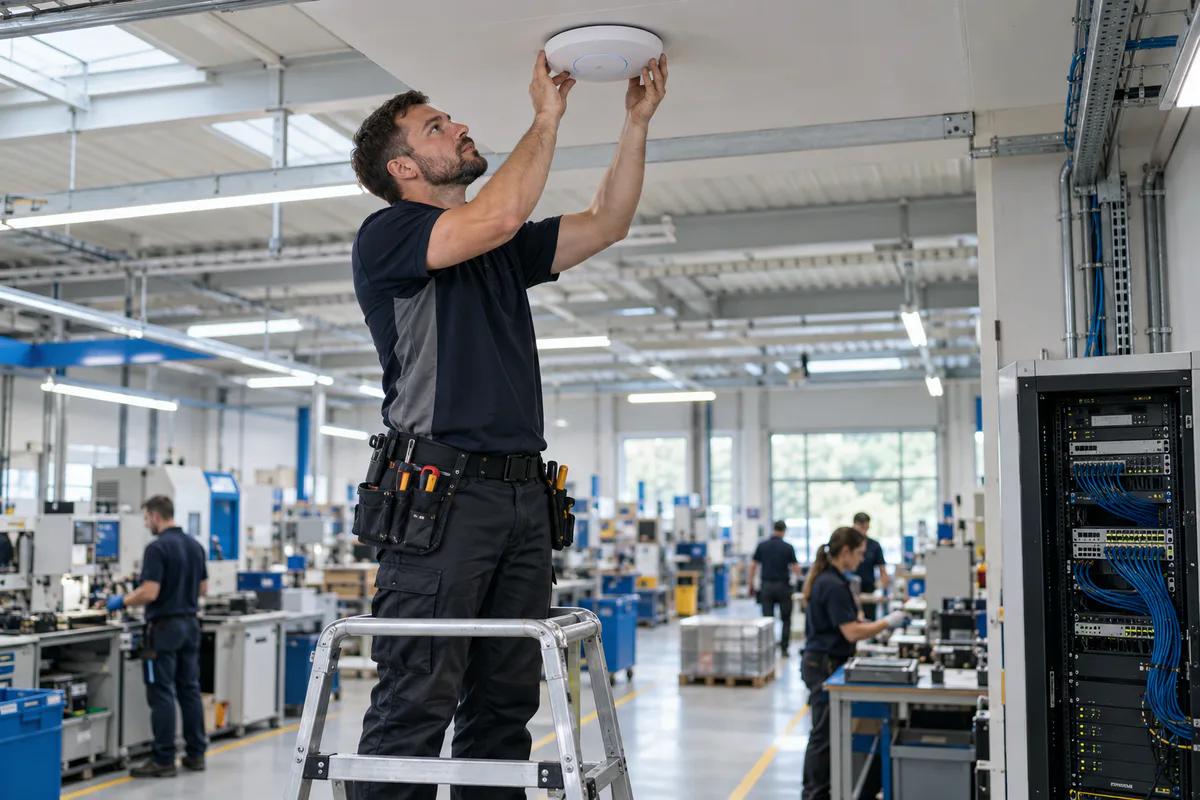
A slow, unstable or uneven connection wastes your teams' time and harms your customers' experience. GVISION designs your wired and Wi-Fi network to provide a fast, stable and secure connection throughout your building.
We survey your offices, hotel, shop, workshop or warehouse to properly cover different areas and avoid poorly served locations.
The network is sized according to user numbers, connected devices and applications used. Your teams have a connection that can keep up with their work.
Employees, visitors, equipment and important services can have separate access. You can offer customers a connection without exposing the company's internal network.
GVISION centralises equipment management and monitors important alerts. In a problem, our team has the information needed to identify its source faster.
GVISION selects technology based on your building, user numbers, expected performance, security level and budget. You receive a network tailored to your business rather than a standard solution.

Cisco offers networking solutions for environments with many users, multiple services or more demanding connectivity needs.
GVISION recommends Cisco for businesses seeking robust, scalable infrastructure suited to complex sites or multiple locations.

Aruba Instant On offers Wi-Fi access points, switches and gateways suited to small and medium-sized businesses.
This solution creates a reliable professional network that is easy to administer and can support adding new users or equipment.

UniFi brings wired networking, Wi-Fi and equipment management into one environment. This solution is particularly suitable for offices, hotels, shops and businesses across multiple sites.
GVISION designs coverage, installs equipment and centralises monitoring to maintain a coherent network that is easy to expand.

Sophos combines the firewall, wired network and Wi-Fi in a security-focused approach. Switches and access points can be monitored alongside other Sophos protections.
This solution suits businesses wanting better control of connected devices and faster responses when a threat is detected.
Guests complain about slow connections in some rooms, while reception, payment terminals and connected TVs use the same network. GVISION analyses coverage throughout the building, repositions access points and adds necessary equipment. The guest network is separated from administration to improve performance and security.
Office computers, printers, cameras, phones, machines and visitor devices share infrastructure that has become difficult to manage. An outage or faulty device can then disrupt the entire operation. GVISION organises the network by usage, protects important equipment and plans sufficient capacity for future devices.
Employees across several sites need access to the same files, software and services. Current connections are slow, unstable or configured differently in each office. GVISION securely connects locations, standardises the network and centralises monitoring to facilitate teamwork.
The business is growing, but the existing network was not designed for so many users, computers and phones. Slowdowns occur during peak usage. GVISION adapts wired networking and Wi-Fi, adds necessary capacity and prepares infrastructure for future arrivals.
Scanners, tablets or mobile terminals lose their connection between shelves or in some loading areas. This slows order picking and forces teams to repeat operations. GVISION measures coverage on site and deploys a solution suited to the building layout and users' movements.
GVISION handles your network project end to end: needs analysis, building survey, installation, security and follow-up. You get reliable infrastructure designed for your business and ready to evolve.
We identify poorly covered areas, slowdowns, connected devices and your teams' or customers' needs. This analysis addresses the actual causes rather than adding equipment unnecessarily.
We define equipment locations, Wi-Fi coverage and the organisation of different access types. The network is sized for your premises, user numbers and growth plans.
GVISION installs and configures wired networking and Wi-Fi, then tests connections in the relevant offices, rooms, workshops, warehouses or outdoor areas. Adjustments are made before final commissioning.
We track equipment status and important alerts to identify issues faster. As your business evolves, we can add new areas, devices or sites.
Essential answers before improving or replacing your business network.
Any other questions?This depends on building size, walls, number of floors, connected devices and usage. GVISION surveys the premises to position equipment correctly and avoid poorly covered areas or unnecessarily expensive equipment.
No. The problem may come from Wi-Fi coverage, old equipment, an overloaded network or poor configuration. GVISION identifies the actual cause before recommending a solution.
The internal network provides access to business tools and equipment. Guest Wi-Fi gives visitors or customers only an Internet connection. Separating them avoids exposing business resources.
Yes, where it remains suitable, secure and compatible with the new installation. GVISION analyses what is already in place and replaces only equipment limiting performance or posing a risk.
Yes. It controls connections between your business, the Internet and different user groups. A high-performing network must also be protected against unauthorised access and suspicious activity.
Yes. A second fixed or mobile Internet connection can take over when the main link fails. GVISION can implement this failover to limit disruption to your business.
Yes. As part of managed IT services, GVISION can monitor equipment, connections and important alerts. This visibility helps detect issues faster and better prepare network changes.
Poorly covered areas, unstable connections or outdated equipment: GVISION analyses your installation and proposes a reliable, high-performing network suited to your building.