



SharePoint support in Brussels has become a real need for many SMEs looking to better organise their documents, secure their data and make the most of Microsoft 365 on a daily basis.
Today, SharePoint is one of Microsoft 365“s most powerful tools for organising documents, fostering team collaboration, and centralising company information. However, in many SMEs, SharePoint is poorly structured, misunderstood, or simply used as a ”file server in the cloud".
Result: documents are scattered, access rights are confusing, users don't know where to save their files, external sharing becomes difficult to control, and the company loses time on a daily basis.
For SMEs located in Brussels, having local and responsive SharePoint support can make a big difference. Whether it's to correct an existing configuration, migrate an old file server, organise document libraries or secure access, SharePoint should be thought of as a real work tool, not just a storage space.
At GVISION, we support SMEs in Brussels and Belgium with the implementation, management, security and optimisation of SharePoint and Microsoft 365.
Why is SharePoint essential for SMEs in Brussels?
Brussels SMEs often work with several teams, multiple sites, remote employees, external partners, clients, suppliers, or institutions. In this context, document organisation quickly becomes a significant challenge.
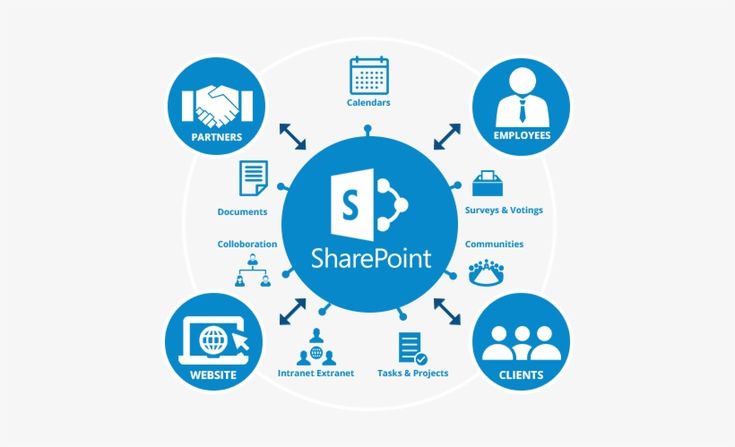
SharePoint allows the centralisation of company files in Microsoft 365 Brussels, while facilitating collaboration. Unlike a simple shared folder, SharePoint allows for the management of access rights, version history, external sharing, departmental libraries, and integration with Teams.
A small or medium-sized enterprise (SME) can use SharePoint to organise:
- administrative documents ;
- customer contracts ;
- HR files ;
- internal procedures ;
- the accounting documents ;
- Commercial files ;
- the project documents ;
- document templates ;
- the archives ;
- files shared with external partners.
When configured correctly, SharePoint can advantageously replace an old local file server. It allows users to access documents from the office, home, or on the go, while maintaining better control over access.
However, to obtain these benefits, a common mistake must be avoided: migrating files to SharePoint without reviewing the organisation. A poorly organised file server, migrated as-is into SharePoint, remains a poor document system.
The most frequent SharePoint problems in SMEs
Many companies use SharePoint without a real strategy. Initially, it works more or less correctly. Then, over time, problems start to appear.
The most frequent situations are:
- too many SharePoint sites created without any logic. ;
- misconfigured access rights ;
- Duplicate files between Teams, OneDrive and SharePoint ;
- users who don't know where to store their documents; ;
- uncontrolled external sharing; ;
- documentary libraries that are too heavy; ;
- a confusing OneDrive sync ;
- files deleted or moved by mistake; ;
- colleagues who continue to send files by email ;
- a lack of documentary governance.
Faced with these problems, specialised SharePoint support in Brussels can quickly and sustainably restore order.
SharePoint Support in Brussels: What GVISION Can Do for Your Business
A SharePoint support à Brussels efficient is not limited to solving a single technical problem. The objective is to help the company make better use of SharePoint on a daily basis.
GVISION can support your SME on several levels.
Audit of your SharePoint environment
Before changing a configuration, it is important to understand the existing setup. A SharePoint audit allows for the analysis of:
- existing sites; ;
- documentary libraries ;
- access rights;
- Microsoft 365 groups ;
- external shares ;
- Links with Teams ;
- OneDrive synchronisations ;
- The safety rules ;
- the problems encountered by users.
The objective is to detect weaknesses and propose a clear action plan.
SharePoint Reorganisation
Good SharePoint organisation needs to be easy for users to understand. You should avoid multiplying sites, folders, and permissions without a clear logic.
GVISION can help you structure SharePoint by department, by team, or by project according to your business reality.
Examples of possible structures:
- Management;
- Administration;
- HR;
- Finance;
- Commercial ;
- Projects;
- Clients;
- Operations;
- Archives;
- Shared documents.
The aim is for each user to quickly know where to find and save their documents.
Access rights management
Permissions management is one of the most sensitive points in SharePoint. Too many permissions create a risk of information leakage. Too few permissions block the work of teams.
GVISION can help you define a clear access strategy:
- Who can view the documents? ;
- Who can edit the files? ;
- who can share externally ;
- Which files should be confidential? ;
- which access should be reserved for management ;
- How to manage new employees ;
- How to remove access for former employees.
Good SharePoint rights management improves both security and productivity.
Securing external sharing
SharePoint makes it easy to share files with clients, suppliers, or partners. But without clear rules, external sharing can become a risk.
GVISION can help you to set up:
- external sharing rules ;
- anonymous or authenticated links; ;
- expiry dates ;
- restrictions by domain ;
- read-only rights ;
- Guest access; ;
- Microsoft 365 security controls.
The aim is to enable external collaboration without unnecessarily exposing company data.
File server migration to SharePoint
Many SMEs in Brussels still use a local file server. This model can work, but it has several limitations: complicated remote access, VPN required, lack of collaboration, sometimes insufficient backups, reliance on the physical server, and difficulty working remotely.
Migrating to SharePoint can be an excellent solution, provided it's done correctly.
A successful migration isn't just about copying all your folders to the cloud. First, you need to analyse what you currently have, clean up old files, define a new structure, and prepare your users.
The recommended steps are:
- audit of the current file server ;
- Identification of useful files ;
- Suppression or archiving of obsolete data ;
- Definition of the new SharePoint architecture; ;
- Site and library configuration ;
- rights management;
- data migration;
- tests with a pilot group ;
- user training;
- Post-migration support.
GVISION, through its service of’Microsoft 365 managed services, can support all or part of this migration, ensuring minimal impact on your daily operations.
SharePoint, Teams, and OneDrive: to understand the differences
A major source of confusion in SMEs comes from the difference between SharePoint, Teams, and OneDrive.
These three tools are linked, but they do not have the same role.
SharePoint
SharePoint is used to store and organise the company's or a team's shared documents. It's the central document space.

Teams
Teams is used to collaborate, communicate and organise teamwork. When a Teams team is created, a SharePoint site is often automatically created to store that team's files.

OneDrive
OneDrive is primarily for the user's personal files. It's the individual workspace, even though some files can be shared on an occasional basis.

The simple rule to remember is this:
- Personal document or draft: OneDrive ;
- Team or company document SharePoint ;
- Communication and collaboration on a project Teams.
GVISION helps SMEs to clarify these uses to avoid duplication, file loss and bad habits.
SharePoint Security a key challenge for SMEs
Document security has become a major concern. A company's files often contain sensitive information: contracts, client data, salaries, HR documents, commercial offers, financial documents, internal procedures, or strategic information.
SharePoint offers many security features, but they need to be configured correctly.
The important points to check are:
- enabling multi-factor authentication;
- correct management of access groups ;
- Restrictions on external sharing ;
- Guest access control ;
- regular review of permissions ;
- protection of administrator accounts ;
- Device management with Intune ;
- Configuration des politiques Microsoft 365 ;
- back-up or data recovery strategy ;
- user awareness.
In the context of the Microsoft 365 cybersecurity and compliance, particularly with the requirements related to NIS2 or GDPR, an SME must be able to demonstrate that its data is protected and that access is controlled.
GVISION can help you secure SharePoint with a comprehensive Microsoft 365 approach: identities, devices, data, backups, and monitoring.
SharePoint user support to train to avoid mistakes
Even a well-configured SharePoint can fail if users don't understand how to use it.
The most frequent errors are simple:
- save the files in the wrong place ;
- Share a document instead of collaborating in the library; ;
- synchronising too many folders with OneDrive ;
- create duplicates ;
- moving folders without informing the team; ;
- use inappropriate sharing links; ;
- Not understanding the difference between Teams and SharePoint.
This is why training is essential. It doesn't necessarily have to be long or complex. For an SME, one or two hours of practical training can already make a big difference.
GVISION can train your users on SharePoint best practices:
- where to store documents ;
- How to share correctly ;
- How to find a file ;
- How to use version history ;
- How to sync with OneDrive ;
- Comment collaborer dans Teams ;
- How to avoid common mistakes.
Good SharePoint support also means making users more independent.
Why choose a support SharePoint local in Brussels?
Using a local service provider in Brussels offers several advantages for an SME.
First, proximity facilitates exchanges. Certain situations can be handled remotely, but others require a better understanding of the internal context, working habits, or document organisation.
Then, a local provider knows the realities of Belgian SMEs better: multilingual teams, remote working, administrative constraints, collaboration with external clients, security requirements, reasonable budgets, and the need for responsiveness.
Finally, local support can assist the company in the long term. SharePoint is not a project that is configured once and for all. Needs evolve: new employees, new departments, new projects, new security rules, new clients.
GVISION supports SMEs in Brussels and Belgium with a comprehensive approach:
- IT Support Brussels ;
- Microsoft 365 managed services ;
- SharePoint support Brussels;
- Configuration Teams ;
- file migration ;
- Microsoft 365 cybersecurity ;
- backups;
- access management;
- user training ;
- Modern Workplace support.
The objective is to provide a reliable, secure, and readily adopted Microsoft 365 environment for teams.
When to call GVISION for SharePoint?
You should consider SharePoint support if you recognise one or more of these situations:
- Your files are poorly organised. ;
- your users don't know where to save documents ;
- You have too many sites or folders; ;
- You don't know who has access to what. ;
- you regularly share files with external parties; ;
- You want to migrate a file server to SharePoint. ;
- You use Teams, but files are becoming difficult to find; ;
- Your users are complaining of syncing issues; ;
- You want to secure Microsoft 365. ;
- you wish to train your teams; ;
- You want to implement real document governance.
In all these cases, GVISION can carry out an audit, propose a clear structure, and support you in its implementation.
Conclusion: SharePoint can be a real productivity driver
SharePoint is much more than just storage space. When properly configured, it allows an SME to better organise its documents, secure its data, facilitate collaboration, and save time on a daily basis.
But to achieve these results, a structured approach is required: clear architecture, controlled access rights, sharing rules, user training, and regular support.
For SMEs located in Brussels, GVISION offers complete SharePoint support: audit, configuration, migration, security, support, and training.
You want to get your SharePoint back in order, migrate your files to Microsoft 365 How do you secure your business documents? Contact GVISION to benefit from SharePoint support à Brussels adapted for your SME.
FAQ — SharePoint Support in Brussels
Can SharePoint replace a file server?
Yes, SharePoint can replace a file server in many cases, especially for SMEs that already use Microsoft 365. However, you need to prepare for the migration, structure the libraries, and correctly configure access rights.
SharePoint is for team collaboration, while OneDrive is for individual file storage and sharing.
OneDrive is for a user's personal files. SharePoint is for shared documents for a team, department, or the company. Both tools are complementary.
Why are my Teams files in SharePoint?
Teams utilise SharePoint to store team and channel files. When a file is shared in a Teams team, it is typically stored in the associated SharePoint site.
Can external sharing be restricted in SharePoint?
Yes, SharePoint allows you to control external sharing. It is possible to limit anonymous links, enforce authentication, restrict certain domains, and manage guest access.
Can GVISION migrate our files to SharePoint?
Yes. GVISION can analyse your current file server, propose a new structure, configure SharePoint, migrate the data, and support users post-migration.
Do you offer remote and on-site SharePoint support in Brussels?
Yes. GVISION can provide remote assistance for most SharePoint and Microsoft 365 requests, but also on-site in Brussels if necessary.