



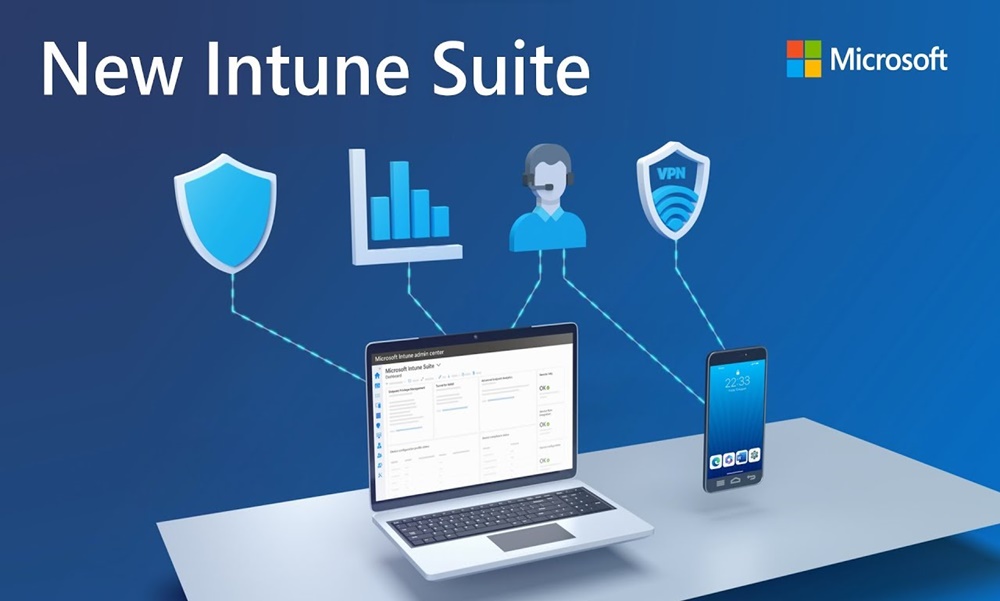
Microsoft Intune in Belgium: Top 5 mobile management solutions
The deployment of Microsoft Intune in Belgium has become essential for businesses wishing to secure their hybrid IT estate. As an expert in endpoint management, GVISION supports you in implementing a robust and centralised MDM (Mobile Device Management) and MAM (Mobile Application Management) strategy.
Master your devices, secure your business data
Microsoft Intune is the leading cloud solution for managing devices and applications within the Microsoft 365 ecosystem. Natively integrated with Microsoft Entra ID, it allows you to control the use of Windows workstations, Macs, as well as iOS or Android smartphones and tablets — whether company-owned or personal (BYOD).
Thanks to Microsoft Intune in Belgium, GVISION enables your organisation to go even further with Microsoft Intune Suite : proactive security posture monitoring, privileged access management (EPM), and secure remote support. It is the perfect complement to a modern cloud infrastructure.
Why implement Microsoft Intune in Belgium today?
The mobility of Belgian workers and the rise of remote working are multiplying entry points for cyberattacks. Microsoft Intune in Belgium provides full visibility over your mobile fleet, allowing remote data wipe in case of loss or theft, a key GDPR requirement. For maximum protection, this solution should be coupled withmulti-factor authentication MFA.
5 Key Benefits of the Microsoft Intune Suite for Your Organisation
1. Centralised IT estate management: Administer all your devices via a single cloud console, without costly on-site servers.
2. Enhanced mobile security: Apply application protection policies to prevent copying and pasting business data into personal apps.
3. Simplified user experience (Autopilot): Your employees receive their PCs pre-configured by GVISION and ready to use from the very first internet connection.
4. Automated compliance: Block access to tools such as Microsoft Teams if the device is not up to date or is rooted.
5. Full Microsoft 365 integration: Intune works in tandem with Defender, SharePoint and the Office suite for an environment Modern Workplace in Brussels with no compromise.
How does GVISION transform your device management?
Deploying Microsoft Intune in Belgium requires fine configuration so as not to block users' productivity. Our approach is divided into several key steps:
- Diagnosis and MDM/MAM strategy: We segment usage (BYOD / COPE) and define the compliance policies suited to your business.
- Configuration of security profiles: Setting up encryption (BitLocker), Wi-Fi, VPNs and the automatic deployment of applications.
- Remote Help and EPM: Activation of secure technical support and granular management of administrator privileges to limit malware risks.
- Endpoint Analytics: Proactive performance monitoring to detect PC slowdowns before the user notices.
Sovereignty and compliance in Belgium
The use of Microsoft Intune in Belgium ensures your security policies are aligned with national standards. GVISION ensures your configurations comply with the guidelines of the Centre for Cybersecurity Belgium (CCB), particularly in terms of identity management and endpoint protection.
FAQ about Microsoft Intune
Can I manage Macs and iPhones with Intune?
Absolutely. Microsoft Intune in Belgium is a cross-platform solution. GVISION configures the Apple profiles (via Apple Business Manager) for management as smooth as on Windows.
What is the difference between MDM and MAM?
MDM manages the entire device (encryption, locking), while MAM manages only business applications on the device (ideal for BYOD to respect employee privacy).
How does Intune help with collaboration?
By ensuring that files shared on Microsoft SharePoint are only accessible from compliant, secure devices.
Simplify your IT with GVISION
Our mission is to «simplify your IT». By entrusting us with the management of your IT assets via Microsoft Intune in Belgium, you gain peace of mind. With 15,000+ managed devices, we master every aspect of the lifecycle of your devices.
Secondary keywords: Mobile business management Belgium, Intune expert Brussels, Windows 11 device security, MDM for SMEs, Autopilot deployment Belgium, mobile IT support.
Microsoft Intune: Take control of your devices, protect your data
Microsoft Intune is Microsoft 365’s cloud-based solution for device management (MDM) and application management (MAM). Integrated with Entra ID, it enables you to secure and control the use of desktops, smartphones, and tablets—whether corporate or personal.
With the Microsoft Intune Suite, you can go further: monitor security posture, manage privileged access, provide secure remote support, and protect your endpoints against targeted attacks.
GVISION supports you in the full deployment of Intune and the Intune Suite, offering a tailored approach focused on security, compliance, and operational efficiency.
5 Key Benefits of the Microsoft Intune Suite for Your Organisation
1. Centralised IT Asset Management
Manage all your corporate and personal devices (BYOD) through a single cloud-based console.
2. Enhanced Mobile Security
Define precise policies to protect your data against loss, leaks, or non-compliant usage.
3. Simplified User Experience
Employees receive preconfigured, ready-to-use devices without involving IT.
4. Enforcement of Compliance Policies
Prevent access to Microsoft 365 applications if security requirements are not met (e.g., rooted or unencrypted devices).
5. Seamless Integration with Microsoft 365
Intune integrates seamlessly with Teams, Outlook, OneDrive, Defender, and Entra ID for a fully secure end-to-end environment.
GVISION offers comprehensive and scalable management of your MDM environment with Microsoft Intune + Intune Suite:
MDM/MAM Assessment and Strategy
Evaluate your device fleet, segment usage (BYOD / COPE), analyse risks, and define corporate policies.Microsoft Intune Deployment
Configuration of profiles, dynamic groups, security policies, encryption, compliance, Wi-Fi/VPN, MFA, and more.Activation of Advanced Intune Suite Modules:
▸ Remote Help: secure remote technical support for your users.
▸ Endpoint Privilege Management: granular management of administrator privileges.
▸ Advanced Endpoint Analytics: monitoring user performance and proactively detecting issues.
▸ App Control and Conditional Access Enhancements: protection against malicious executables and contextual filtering.Integration with Entra ID
Implementation of powerful conditional access based on context (device, location, compliance posture, etc.).Proactive Support and Maintenance
Ongoing management, policy updates, regular reporting, and advanced technical support.
Our mission: simplifying your IT.
We analyse your existing environment, optimise your daily efficiency, and build a future-focused strategy with you.
Managed Devices
Monitored Servers
Supported Clients
Years of Experience
Why Choose GVISION for Your Implementation?
01Comprehensive End-to-End Device Lifecycle Management
From automatic onboarding (Autopilot) to device reset, including remote support and application management.
02Enhanced Endpoint Security
The Intune Suite enables you to enforce the principle of least privilege, detect anomalous behaviour, and block threats before they can act.
03Intelligent Visibility and Analytics
With Endpoint Analytics, gain real-time insights into the performance, compliance, and security of your devices.
04Optimal User Experience
Seamless deployment, enhanced autonomy, and direct support via Remote Help: your users are better equipped and more productive.
05A Local Partner and Microsoft 365 Security Expert
GVISION combines technical expertise, client proximity, and mastery of the Microsoft ecosystem to provide tailored support.