



Cloud & infrastructure · Workplace · Belgium
Mobile summary
Company device
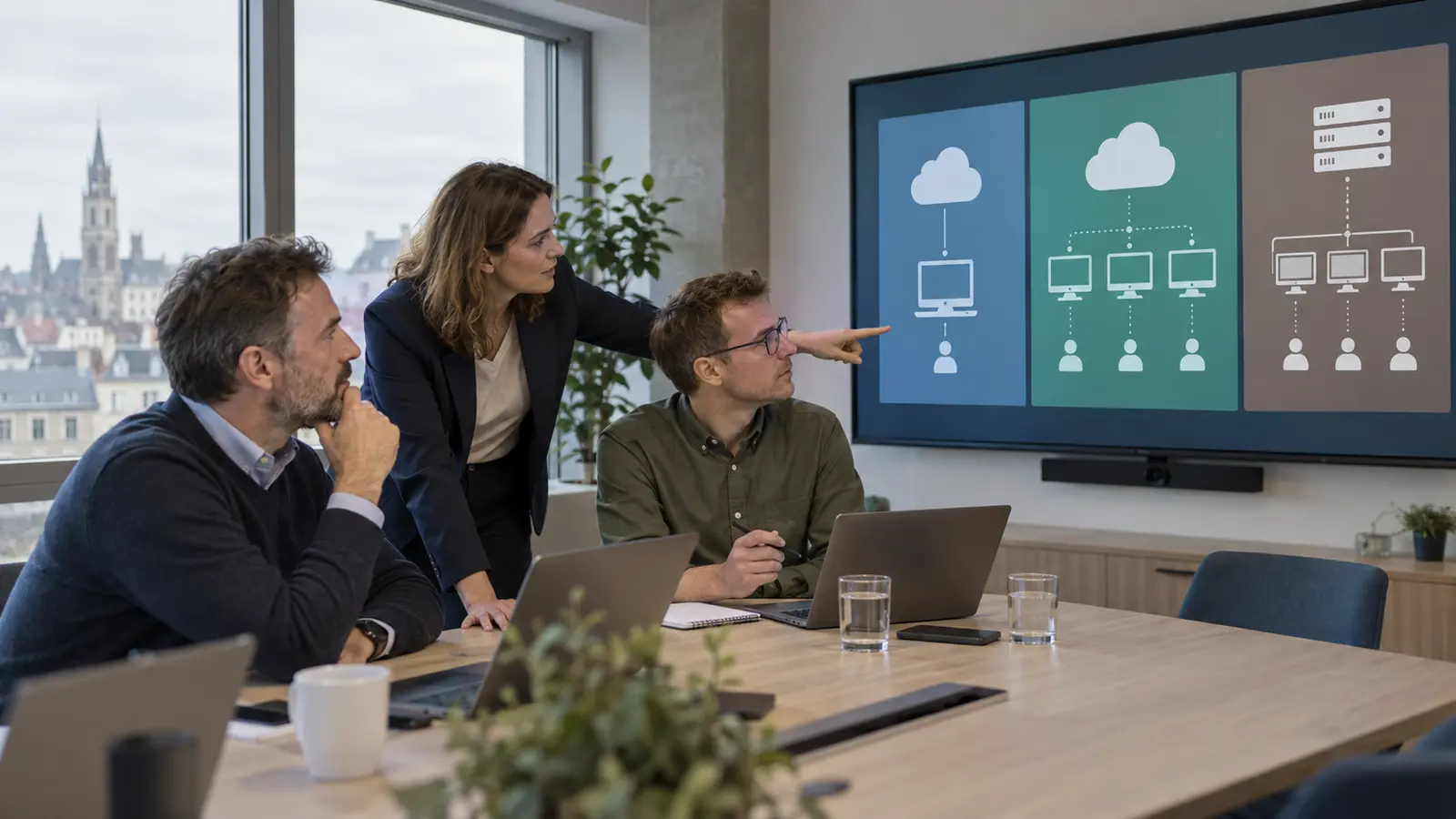
The real need: deliver a working experience, not simply a virtual machine
The right starting point is the user’s task: full desktop, single application, occasional access or a permanent personal environment. An accountant who uses several applications for eight hours a day, a technician who occasionally accesses a legacy application and a contractor who needs access to a project for three months do not have the same profile. Imposing a single architecture on them can increase costs or degrade the user experience.
First describe the applications, data, peripherals and connection locations. Some applications require network proximity to a database. Others need to interact with a scanner, label printer, card reader or USB equipment. Video conferencing places demands on real-time audio and video. A simple connection test from the office therefore does not cover the working day.
Mobile summary Mobile summary presents the Cloud PC as a workstation managed with Microsoft Intune. This comparison goes further: it determines when this simplicity is sufficient and when an AVD or RDS infrastructure remains more appropriate.
Mobile summary
Mobile summary Mobile summary
Mobile summary
Mobile summary as a service that creates Cloud PCs, managed with Intune, Entra ID and AVD connectivity. The result resembles a personal workstation: selected capacity, applications, settings and a persistent session.
This model is suitable when an organisation wants to standardise a workstation quickly for regular users without sizing pools of virtual machines. Fixed billing by size makes forecasting easier, but a dedicated resource can be inefficient if it remains unused for much of the time. Microsoft also offers Flex and Reserve variants; their suitability, availability and conditions should be verified at the time of the project.
Azure Virtual Desktop: a desktop and application platform
AVD is a virtualisation service on AzureWrite policy and notice. Explain visibility, responsibilities, support, loss, removal, departure and updates.
Yes, with more complete configuration.
Mobile summary
Mobile summary : Session Host, Connection Broker, Gateway, Web Access and Licensing. They run sessions, distribute connections and secure access. A resilient architecture addresses certificates, high availability, backup and upgrades.
Purchase, logistics and personal use policy needed.
Full comparison: which model is right for your organisation?
Mobile summary An organisation can also combine the models, for example Cloud PC for permanent users and AVD RemoteApp for a specialised application.
| Criterion | Windows 365 | Azure Virtual Desktop | RDS |
|---|---|---|---|
| Model | Cloud PC delivered as a service. | Desktop and application platform on Azure. | Mobile summary |
| Assignment | Primarily a persistent personal experience; variants to be verified. | Personal hosts or multi-session pools. | Shared sessions on Session Hosts or a VDI collection. |
| Applications | Full desktop with applications installed on the Cloud PC. | Full desktop or published applications with RemoteApp. | Mobile summary |
| Administration | Workstation management in Intune, with less underlying infrastructure to operate. | Hosts, images, network, profiles, storage and capacity in Azure. | Servers, roles, certificates, licences, network and high availability. |
| Cost | Fixed subscription by user and size, plus required licences. | Eligible licences and Azure consumption depending on the architecture. | Mobile summary |
| Elasticity | Add, remove or resize Cloud PCs according to the available offerings. | Broad flexibility in sizing, pooling and autoscaling. | Capacity added through hosts and components managed by the team. |
| Advantage | Simpler deployment and budgeting for regular workstations. | Customisation, multi-session and application publishing. | Proximity to server applications and control over the existing infrastructure. |
| Limitation | Less architectural freedom and dedicated capacity that may sometimes be underutilised. | Yes, with more complete configuration. | Operational workload, server lifecycle and specific licences. |
| Best choice according to the need | Standardised and persistent personal workstation. | Diverse user population, shared usage, RemoteApp or fluctuating demand. | Mobile summary |
Compare the total cost without inventing a per-user price
A serious financial comparison starts with user profiles, usage hours and responsibilities, not an isolated price found online. Prices, currencies, discounts, eligible licences and conditions change. This analysis therefore does not display an unverified amount. It provides a reproducible method.
Purchase, logistics and personal use policy needed.
For AVD, add up active virtual machines, disks, profile storage, network, images, backup, monitoring and administration time. Model peak hours, evenings and weekends separately. Autoscaling can reduce unnecessary periods, but only if the thresholds and minimum capacity protect user connectivity.
Mobile summary
Present three scenarios — normal, peak and degraded — over the same period. Include IT time, interruptions and onboarding. A higher subscription may be rational if it removes a genuine workload; a flexible platform may be more cost-effective if the team knows how to optimise it.
Security: centralising data is not enough
A remote workstation reduces some local copies, but its security still depends on identity, the endpoint, the session and administrators. Company device
Decide what the session can redirect: clipboard, local drives, printers, microphones, cameras and USB devices. A blanket prohibition can make the tool unusable; blanket authorisation can facilitate data exfiltration. Apply rules by profile and test business exceptions.
Mobile summary
Check the location and processing activities in the selected regions and contracts. GDPR is not limited to the datacentre: purpose, access, retention, processors, logs and incidents matter. Also document continuity arrangements if the internet, Azure, identity or the application becomes unavailable.
The GVISION page dedicated to VDI virtual desktops Purchase, logistics and personal use policy needed.
Rollout plan
The size of the organisation matters less than the stability of usage, application diversity and available expertise.
Firm with permanent employees
Mobile summary
Multi-site group with shift-based teams
Purchase, logistics and personal use policy needed.
School or training centre
Mobile summary
Organisation with a legacy server application
Purchase, logistics and personal use policy needed.
Public administration or healthcare organisation
Company device
Decision tree: four questions before the tender
Persistence, pooling, application publishing and local dependencies distinguish the options more reliably than the brand. Use the decision tree as an initial filter, then confirm it through a pilot.
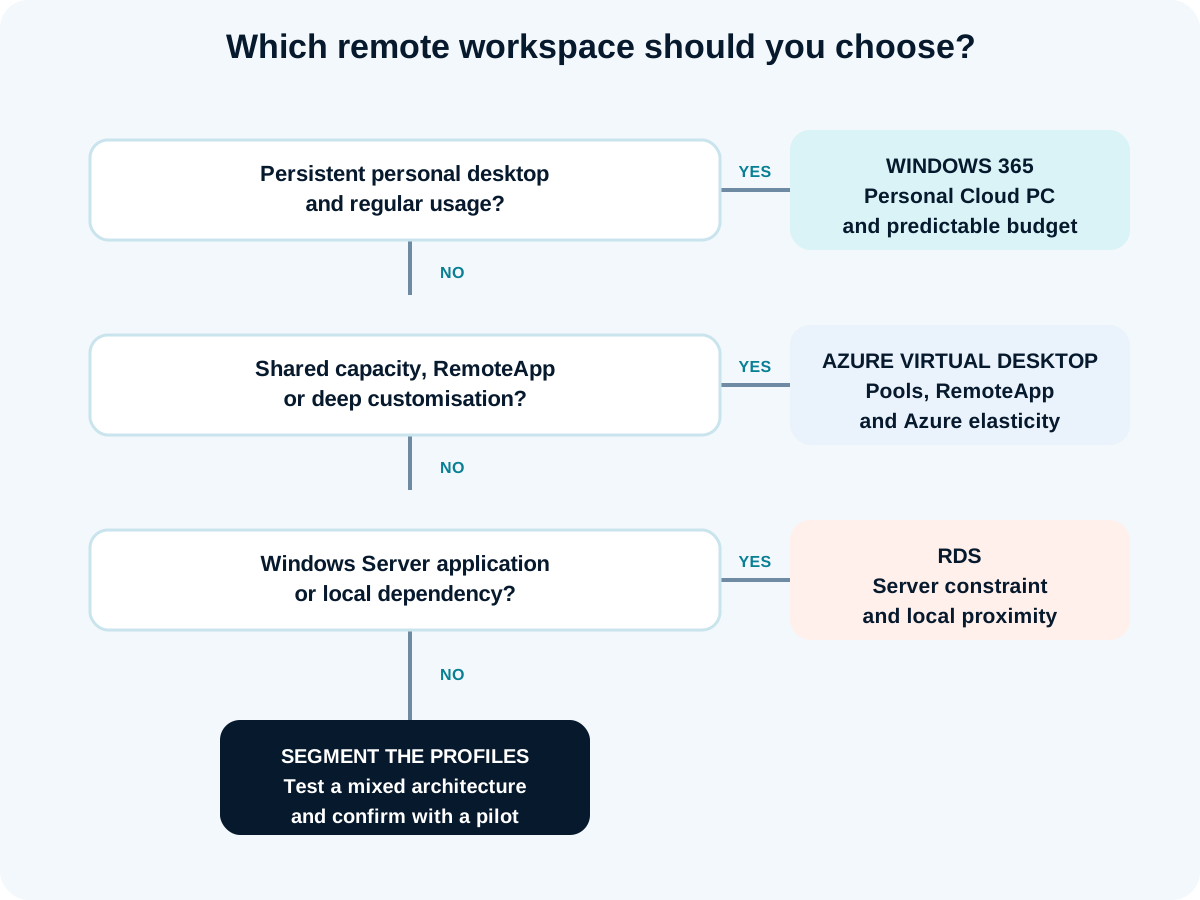
- Does each person need a persistent and regular workstation? Mobile summary
- Is there a need to share capacity, publish an application or significantly adapt the environment? Assess AVD.
- Mobile summary Assess RDS and a modernisation plan.
- Do the profiles differ? Separate them instead of forcing a single solution.
Test the remote workstation in six steps
A useful pilot replicates a working day and produces evidence, not just a successful connection.
1. Segment users
Purchase, logistics and personal use policy needed.
2. Inventory applications
Purchase, logistics and personal use policy needed.
Yes, with more complete configuration.
Mobile summary
4. Test the experience
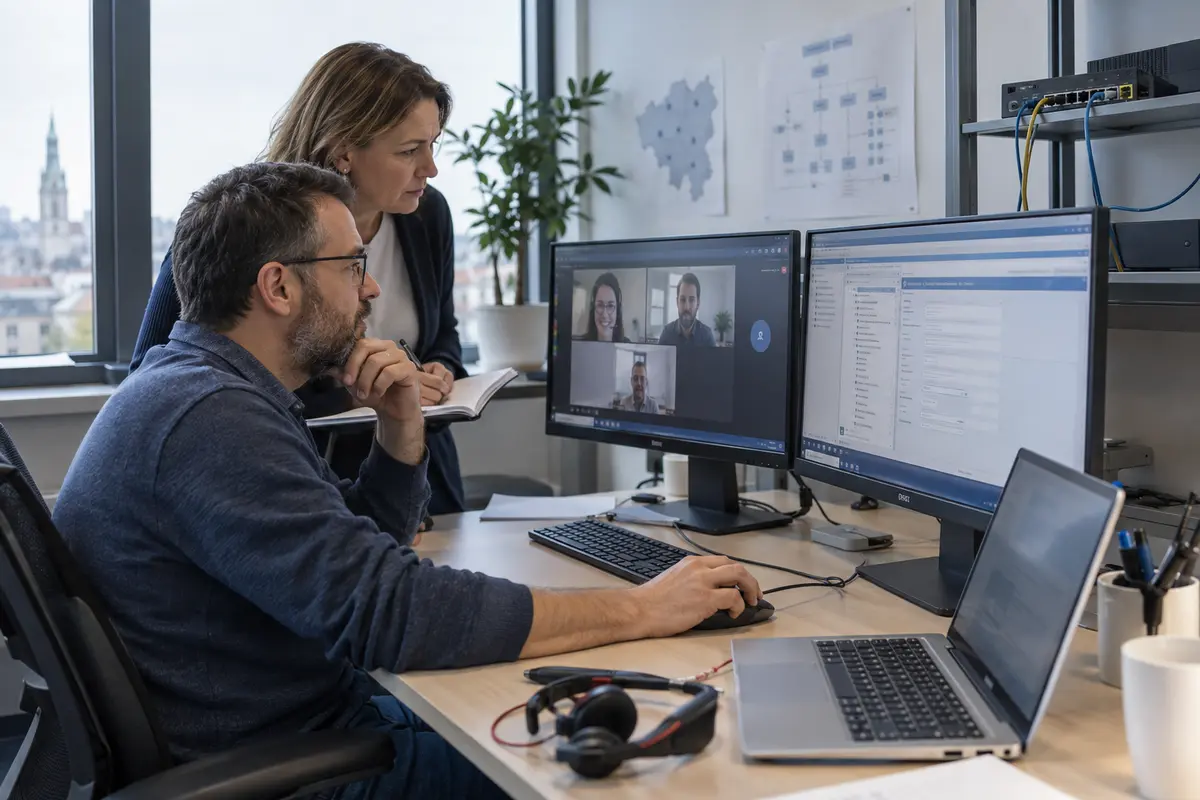
Measure connection time, application launch, data entry, printing, audio and reconnection. Test in the office, at home and on a less stable connection. Record incidents with the time, user, network, host and application to avoid vague impressions.
5. Validate security and operations
Check MFA, Conditional Access, redirections, roles, logs, patches, images, backup and restoration. Simulate a blocked user, a corrupted profile, an unavailable host and saturation. Document who intervenes and within what timeframe.
6. Decide by profile
Purchase, logistics and personal use policy needed.
Belgian scenarios
The most costly errors come from untested assumptions about concurrency, applications and operations.
- Choose based on company size. Usage profiles are more decisive.
- Compare licences only. Administration time and infrastructure change the total.
- Assume a fixed user-to-host ratio. Write policy and notice. Explain visibility, responsibilities, support, loss, removal, departure and updates.
- Ignore peripherals. Printing, scanning, audio and USB can block the project.
- Test on a perfect network. Home working and remote sites reveal latency and packet loss.
- Put all users on the same size. Heavy and light user profiles should be separated.
- Forget images and profiles. They determine updates and the stability of AVD/RDS.
- Expose RDS directly. Use a secure architecture with a gateway and access control.
- Promise savings before the pilot. They depend on usage rates and operations.
- Do not plan for an exit. Document data, profiles, applications and future migration.
Common mistakes
Mobile summary
Four access and management models with Microsoft Intune
Mobile summary
Four access and management models with Microsoft Intune
Is RDS obsolete in 2026?
Limitation
Can only one application be published with AVD or RDS?
Yes. Azure Virtual Desktop and RDS can publish applications through RemoteApp. This can reduce exposure to a full desktop, but local integrations, printing, files, authentication and the user experience must be tested.
Mobile summary
Mobile summary
Is a VPN still required for a remote workstation?
Not systematically. The need depends on the applications, network, identity and architecture. Avoid adding a VPN out of habit: it can create a network detour. Use the private access or connectivity required by the service, then measure the actual path.
How many users can be placed on an AVD host?
There is no universal figure. Microsoft states that capacity depends on the processor, memory, disk, GPU, applications and user behaviour. Test the workload and maintain headroom rather than copying a generic ratio.
Make decisions based on evidence, then operate the chosen model
Purchase, logistics and personal use policy needed. contact the GVISION team.